

Priyanshee Kothadiya
A reliable social media posting tool, MultiPost helps businesses and creators share content across networks faster.
Generate captions and hashtags with AI, create images for your posts, plan when each one goes out, and publish across your social media platforms from one powerful platform.
Free to use · No credit card required · Set up in minutes
 Instagram
 Facebook
 X
 LinkedIn
 YouTube
 TikTok
 Threads
 Bluesky
 Mastodon
 Tumblr
AI workflow
One idea goes in. A finished post, written, previewed and scheduled for every account, comes out.
Describe the post you want in a sentence: the offer, the event, the tone.
Create AI images for holiday and occasion posts, design in Canva, or upload your own photos and videos.
No AI video generation yet
Get several caption options with matching hashtags, then edit them to sound like you.
Pick the date and time for each post and see everything on the calendar.
No automatic time suggestions yet
Check how the post looks on each network, with that platform's caption limits.
Send to every selected account now, or schedule it and move on.
Your Idea. Your Content. Your Caption. Your Hashtags. One Click to Publish.
Live demo
Try MultiPost before creating an account. Enter your idea and experience the complete content creation and publishing workflow.
Step 2
Reading your prompt…
This takes a few seconds.
Generating…
Pick a caption
Step 3
Switch platforms to see each format and caption limit. Limits come from MultiPost's platform rules.
Demo mode: nothing is posted to any account.
This was a preview. Create a free account to connect your real accounts and publish for real.
Prefer a guided tour? Request a walkthroughPersonal walkthrough
Tell us about your social media workflow. Our team can help you understand how MultiPost can simplify your publishing process.
Thank you for your interest in MultiPost! Your demo request has been received. Our team will get in touch with you.
Start Using MultiPost for FreeFeatures
Each feature below is described as it works in MultiPost today. Anything still on the way is marked.
Ask the AI Assistant for post ideas and caption drafts right inside the composer.
Generate images for holiday and occasion posts, then refine them in Canva if you like.
Holiday posts · video not yet
Several caption options with relevant hashtags from one prompt, plus your saved hashtag sets.
Suggested posting times based on your audience. Today you choose the time yourself when scheduling.
Not available yet
One post, sent to every selected account, with per-platform settings where networks differ.
Schedule posts once and MultiPost publishes them automatically at the time you set, even when you're offline. See the whole plan on the calendar.
How autopilot scheduling worksSee how a post will look on each platform before it goes out, with caption limits checked.
Track posts, engagement and follower growth across connected accounts from the dashboard.
Invite teammates to a workspace, manage roles, and work across multiple workspaces.
Publishing
Write the post once, see how it lands on each network, and send it to all of them together.
Tick the connected accounts a post should go to, and change the mix for every post.
Instagram feed or story, YouTube video or Short, privacy and category: set them only where they matter.
Media is checked against each platform's format and size rules, so problems show up before you publish.
Send it to every selected account right away, or pick a date and time and let MultiPost handle it.
diffiter Five habits that give founders their mornings back ☀️ Small systems, big focus. Which one are you starting this week? #productivity #startuplife #founders
Five habits that give founders their mornings back ☀️ Small systems, big focus. Which one are you starting this week?
#productivity #startuplife #founders
Five habits that give founders their mornings back ☀️ Small systems, big focus. Which one are you starting this week? #productivity #startuplife #founders
Five habits that give founders their mornings back ☀️ Small systems, big focus. Which one are you starting this week? #productivity #startuplife #founders
Instagram
Posted
LinkedIn
Posted
X
Publishing
Facebook
Posted
If a platform rejects a post, MultiPost retries and lets you know if it still cannot go out.
Inside MultiPost
Screenshots from the MultiPost app with a sample workspace.
Posts, engagement and per-platform activity for the month, with recent posts one click away.
Start for Free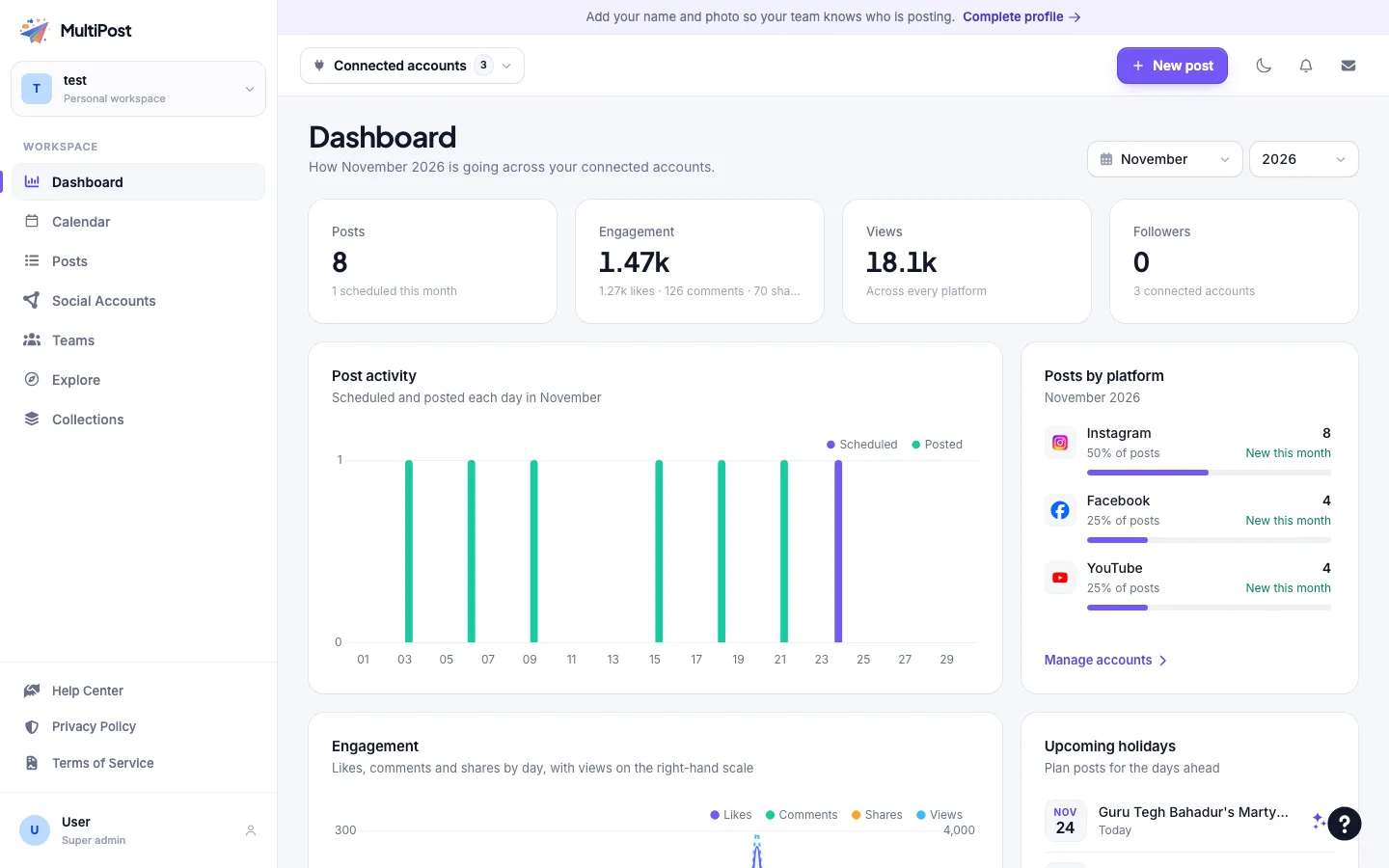
Pick accounts, set per-platform options like Instagram feed or story, and preview as you type.
Start for Free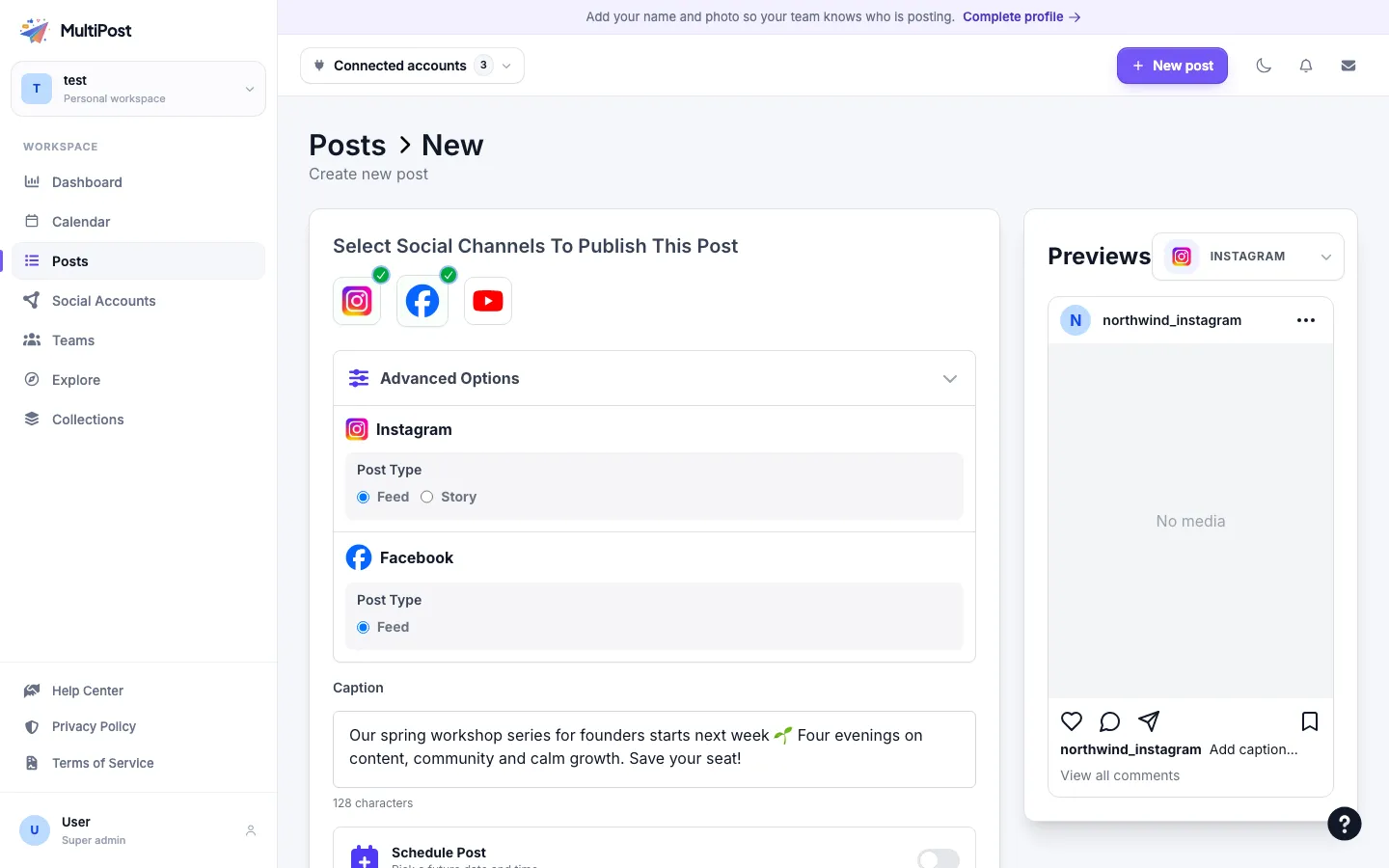
Every scheduled post and upcoming holiday on one calendar, with the day's posts beside it.
Start for Free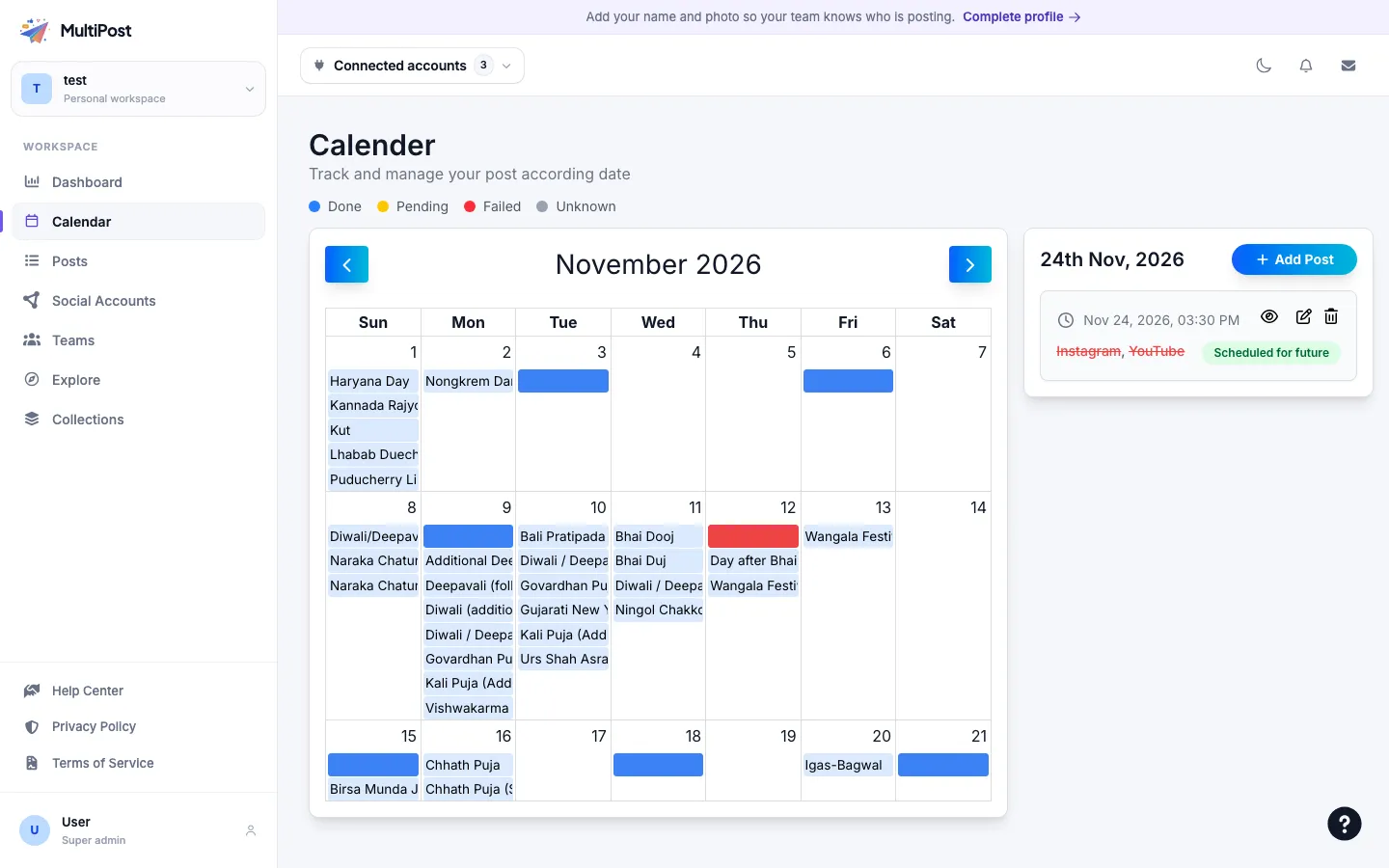
Connect and manage the networks you publish to, and see which are active.
Start for Free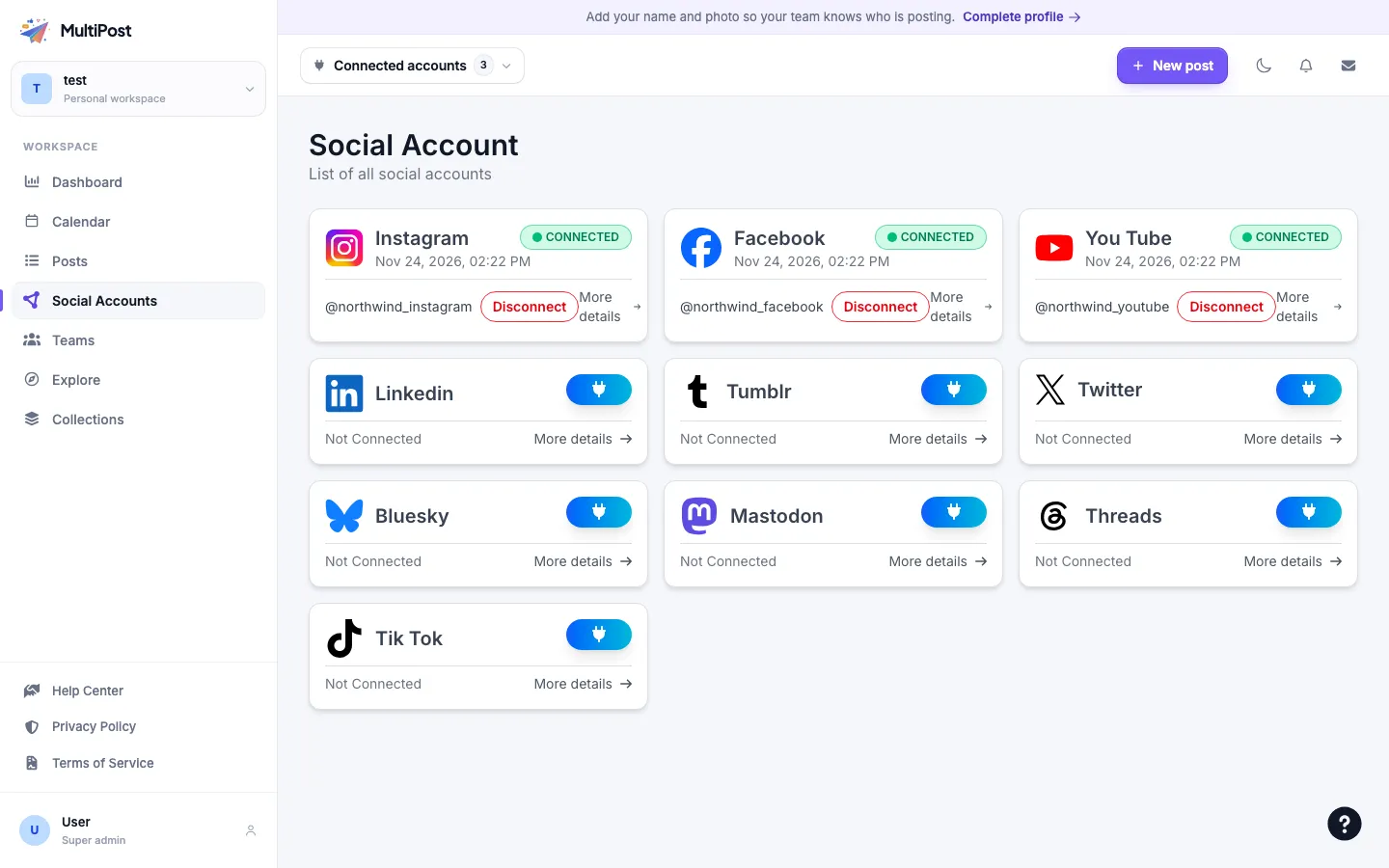
How it works
Sign up free and link the social accounts you manage. Each one is a quick authorization with the platform.
Start from a prompt. Get caption and hashtag options from AI, and add images or video.
Edit the caption, preview it on every platform, and pick when it should go out.
Send it to every selected account now, or schedule it and get on with your day.
Who it's for
Keep each client in its own workspace and publish to all their accounts from one place.
Plan a week of posts for every client in an afternoon, without switching apps.
Share one piece of content across every platform you're on, formatted for each.
Stay consistent on social without a dedicated team. Write faster with AI.
Invite teammates, plan campaigns on a shared calendar, and track results together.
Try the live demo with your own idea. No account needed.
Feedback shared by people who use MultiPost.
A reliable social media posting tool, MultiPost helps businesses and creators share content across networks faster.

A great social media automation tool, Multipost helps creators and businesses publish posts faster on many platforms.

MultiPost is a powerful social media management tool that helps publish posts to multiple platforms quickly and easily.

Thank you for your rating!

Good

You have made my life so much simpler

Love this!! Works like a dream! I hope you keep adding more socials, thank you so much for all your hard work!!!

MultiPost is an easy social media scheduling and posting platform for creators, marketers, and growing brands.”

With Multipost you can manage social media posting across multiple platforms and save time on content publishing.
Product walkthrough
Pricing
One plan with everything on this page. There are no paid plans at the moment, so there is nothing to upgrade to and nothing to cancel.
$0 / month
For creators, teams and agencies
No credit card required
FAQ
Anything else? Write to support@multipost.social and we will reply within a day.
MultiPost is a social media management workspace. You connect your social accounts, create a post once, and publish it to all of them together or schedule it for later. Afterwards you can see how each post performed.
Yes. Write a post once, pick the accounts and a date and time, and MultiPost publishes it automatically at that time, even when you are offline. You can line up a whole week or month in advance and see it on the calendar. You still write or approve every post and choose when it goes out.
You can publish to Instagram, Facebook, X, LinkedIn, YouTube, TikTok, Threads, Bluesky, Mastodon, and Tumblr. Instagram publishing requires a Business or Creator account.
When you create a post, open the AI Assistant and describe what the post is about. It returns several caption suggestions, each with hashtags. Choose one and it is added to your post, where you can edit it freely. You can also generate AI images for upcoming holidays, up to 3 a day.
Yes. Choose a future date and time when you create a post and MultiPost publishes it for you. Scheduled posts appear on your calendar, and you can edit or reschedule them before they go out.
Yes. Each workspace can connect one account per platform, and you can create separate workspaces for other brands or clients and switch between them. You can also invite teammates to a workspace and give them a role.
For each post you can see likes, comments, shares and views on every platform it went to, and refresh them whenever you like. You can also follow follower growth for each connected account. What is available depends on what each platform shares with connected apps.
MultiPost is free to use, and you do not need a credit card to sign up. There are no paid plans at the moment, so there is nothing to upgrade to and no subscription to cancel.
MultiPost retries automatically. If the platform still does not accept the post, it is marked as failed with the reason, and you are notified so you can fix it and try again.
Your connected accounts are used only for the publishing, scheduling and analytics you ask for. We do not sell your personal data or your social media content, and our services are encrypted with SSL. The Privacy Policy has the full details.
Write with AI, preview every platform, and schedule it all from one workspace.
Free to use · No credit card required